

Published: August 2026 | Author: CoreFix Security Team
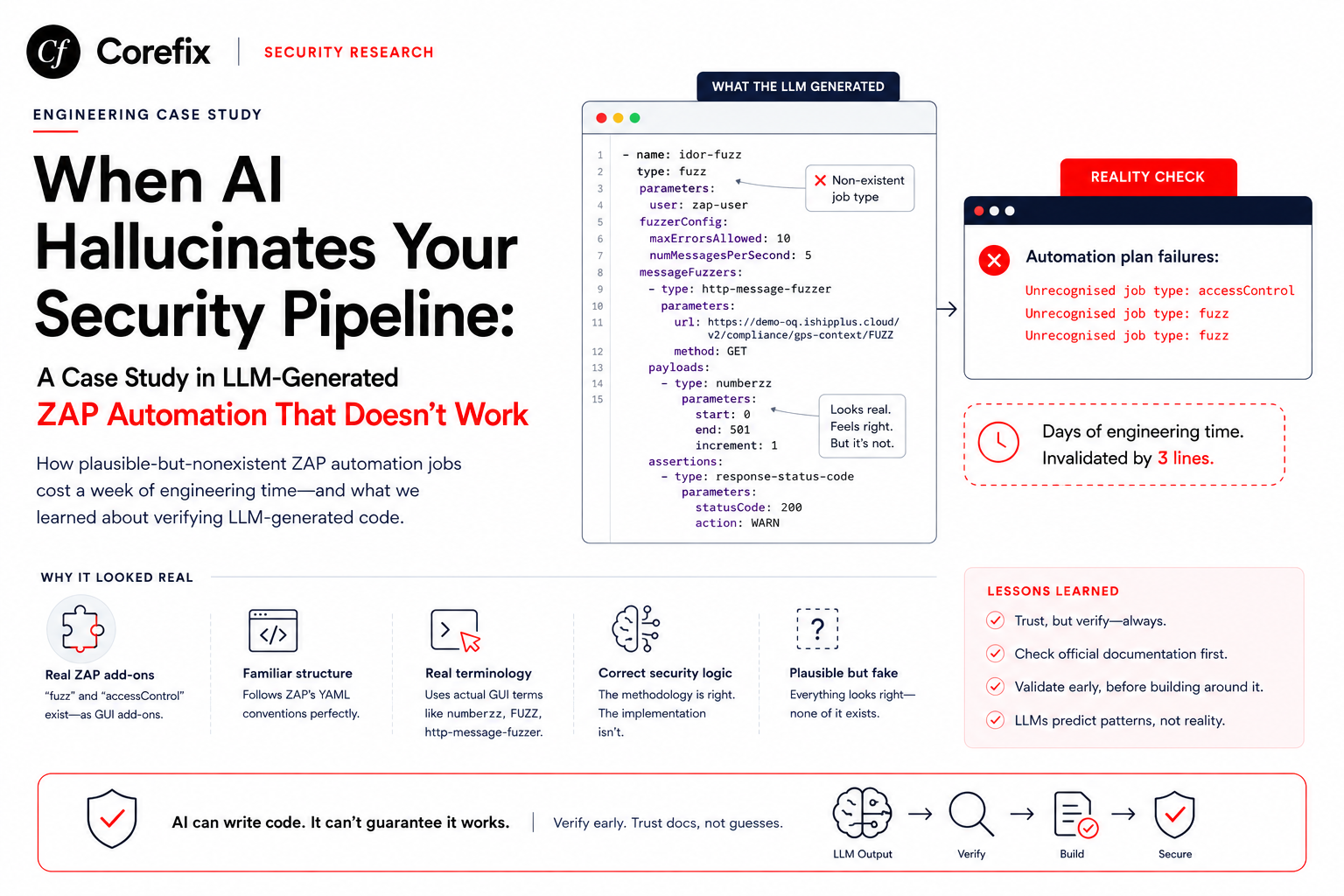
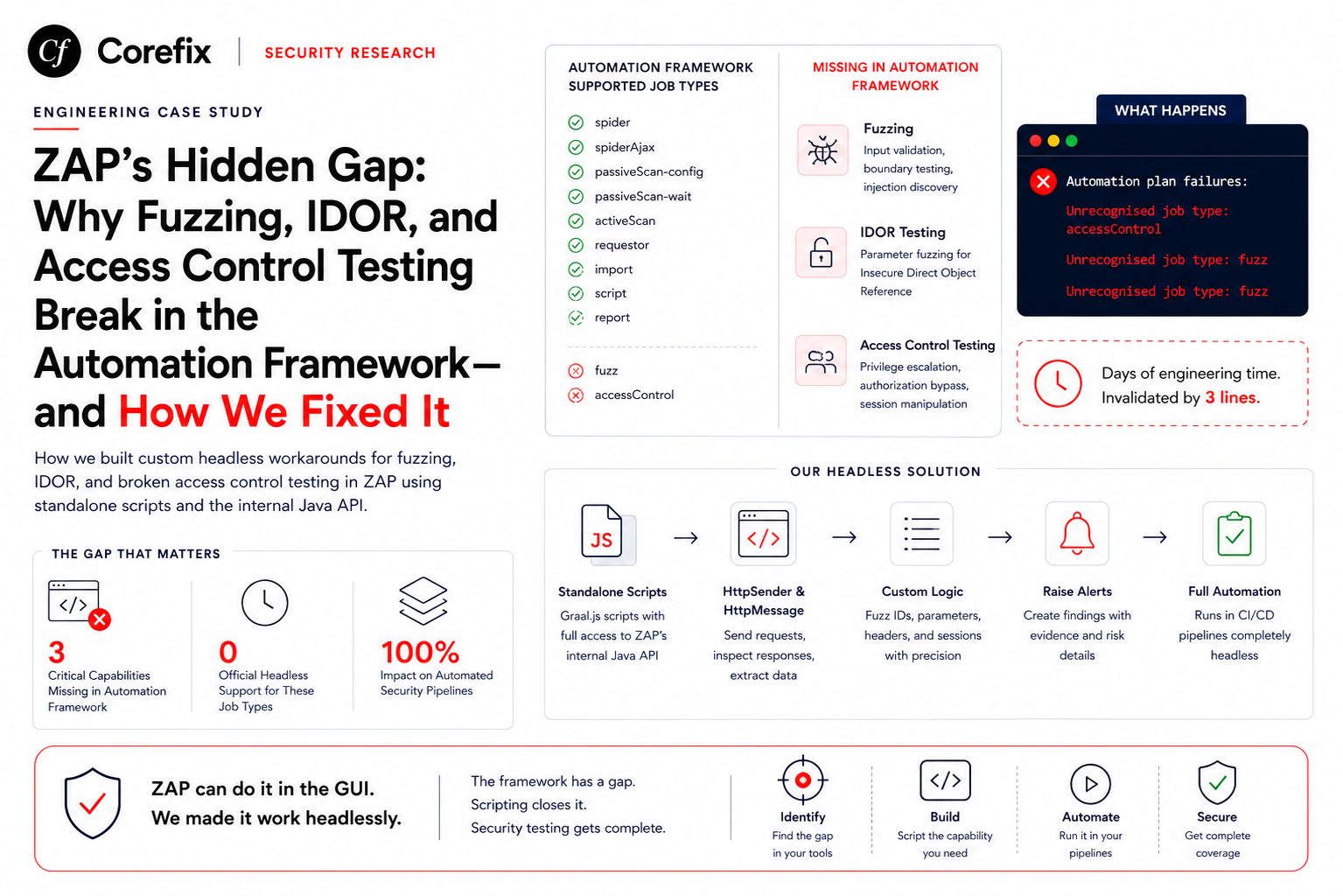
If you've ever tried to build an automated OWASP ZAP security pipeline — CI/CD integrated, fully headless, no GUI — you've probably hit a wall that isn't documented anywhere obvious. The ZAP Automation Framework, which drives headless scans via YAML configuration files, does not support the fuzz or accessControl job types. These features exist in ZAP, but only as GUI plugins. The moment you try to use them in a YAML automation plan, ZAP silently rejects them:
Automation plan failures:
        Unrecognised job type: accessControl
        Unrecognised job type: fuzz
This article explains what happened, why it matters, and how we built custom workarounds to give ZAP full fuzzing, IDOR, and Broken Access Control testing capabilities in headless automation — without the GUI.
The Problem: GUI-Only Features in a Headless World
ZAP's Automation Framework was introduced to make headless scanning possible. You define your scan in a YAML file, run it with zap.sh -cmd -autorun plan.yaml, and get reports. The framework supports a specific set of job types:
| Job Type | Supported in Automation Framework |
|---|---|
spider | Yes |
spiderAjax | Yes |
passiveScan-config | Yes |
passiveScan-wait | Yes |
activeScan | Yes |
requestor | Yes |
import | Yes |
script | Yes |
report | Yes |
fuzz | No — GUI only |
accessControl | No — GUI only |
The fuzz add-on (beta, version 13.x) and the accessControl add-on (alpha, version 13.x) both install successfully. ZAP loads them without errors. But neither add-on registers an automation framework job type. They are designed exclusively for ZAP's desktop GUI — the Fuzzer dialog and the Access Control Testing panel.
This means three entire categories of security testing are unavailable in headless automation:
- IDOR Testing — fuzzing numeric IDs, UUIDs, and object references across endpoints to detect Insecure Direct Object Reference vulnerabilities.
- Input Validation Testing — sending type-breaking, boundary, and injection payloads to every parameter to detect missing server-side validation.
- Broken Access Control Testing — replaying authenticated requests without sessions or with different user sessions to detect authorization bypass.
For anyone building automated security pipelines, CI/CD integrated scanning, or security-as-a-service products on top of ZAP, this is a significant gap.
Why This Gap Exists
ZAP is an open-source project with add-ons maintained by different contributors. The Automation Framework is relatively new compared to the Fuzzer and Access Control Testing add-ons. Implementing automation framework integration requires add-on authors to write a JobImplementor class that registers the job type, parses YAML parameters, and executes the logic headlessly. The fuzz and accessControl add-ons predate this architecture and their maintainers haven't added the integration layer yet.
The add-on maturity labels tell the story:
fuzz— beta (v13.16.0)accessControl— alpha (v13.0)
Alpha and beta add-ons are lower priority for framework integration, even though their functionality is essential for serious security testing.
The Workaround: Standalone Scripts via ZAP's Internal Java API
The key insight is that the script job type is supported in the Automation Framework, and ZAP's Graal.js scripting engine has full access to ZAP's internal Java API. This means we can write standalone scripts that use HttpSender and HttpMessage to send arbitrary requests, inspect responses, and raise alerts — replicating everything the GUI Fuzzer and Access Control panels do, but from within a headless automation plan.
The YAML structure is simple:
- name: add-custom-fuzz
  type: script
  parameters:
    action: add
    type: standalone
    engine: Graal.js
    name: CustomFuzzer
    file: /zap/wrk/custom-fuzz.js

- name: run-custom-fuzz
  type: script
  parameters:
    action: run
    type: standalone
    name: CustomFuzzer
Two entries: one to load the script, one to execute it. Inside the script, we have full control.
Building the Custom Fuzzer
IDOR Testing via Standalone Script
The GUI Fuzzer lets you select a request, highlight a parameter, choose a payload generator (numberzz for sequential IDs, file for wordlists), and run. Our standalone script does the same thing programmatically:
/* global java, org */
var HttpSender = org.parosproxy.paros.network.HttpSender;
var HttpMessage = org.parosproxy.paros.network.HttpMessage;
var URI = org.apache.commons.httpclient.URI;

var sender = new HttpSender(HttpSender.MANUAL_REQUEST_INITIATOR);

// IDOR targets — generated by our pipeline from HAR analysis
var IDOR_TARGETS = [
    { url: "http://app.com/api/orders/{id}", method: "GET", start: 0, end: 500 },
    { url: "http://app.com/api/users/{id}/profile", method: "GET", start: 0, end: 200 },
    { url: "http://app.com/api/basket/{id}", method: "DELETE", start: 0, end: 500 }
];

// Size tracking for IDOR detection without two users
var sizeMap = {};

IDOR_TARGETS.forEach(function(target) {
    for (var i = target.start; i <= target.end; i++) {
        var url = target.url.replace("{id}", i);
        try {
            var msg = new HttpMessage(new URI(url, false));
            msg.getRequestHeader().setMethod(target.method);
            sender.sendAndReceive(msg);

            var status = msg.getResponseHeader().getStatusCode();
            var size = msg.getResponseBody().length();

            if (status === 200 && size > 50) {
                if (!sizeMap[target.url]) {
                    sizeMap[target.url] = { min: size, max: size };
                } else {
                    if (size < sizeMap[target.url].min) sizeMap[target.url].min = size;
                    if (size > sizeMap[target.url].max) sizeMap[target.url].max = size;
                }

                // >15% size variance across IDs = different data returned = likely IDOR
                var entry = sizeMap[target.url];
                var variance = (entry.max - entry.min) / entry.max;
                if (variance > 0.15) {
                    // Raise ZAP alert — appears in report
                    raiseAlert(msg, "Possible IDOR — response size variance",
                        "Endpoint " + target.url + " returns varying data per ID", 3);
                }
            }
        } catch(e) {
            print("Error: " + url + " — " + e);
        }
    }
});
This gives us the same ID enumeration capability as the GUI Fuzzer's numberzz payload generator, with the added intelligence of response size variance detection for single-user IDOR discovery.
Input Validation Testing
The same standalone script pattern handles validation fuzzing — sending type-breaking, boundary, and injection payloads to every POST/PUT/PATCH parameter:
var VALIDATION_TARGETS = [
    {
        url: "http://app.com/api/orders",
        method: "POST",
        bodyTemplate: '{"quantity":"FUZZ","price":100}',
        headers: { "Content-Type": "application/json" }
    }
];

var PAYLOADS = [
    "abc", "null", "undefined", "[]", "{}",
    "-1", "2147483648", "99999999999",
    "<script>alert(1)</script>",
    "' OR 1=1--", "${7*7}", "{{7*7}}"
];

VALIDATION_TARGETS.forEach(function(target) {
    PAYLOADS.forEach(function(payload) {
        var body = target.bodyTemplate.replace("FUZZ", payload);
        var msg = new HttpMessage(new URI(target.url, false));
        msg.getRequestHeader().setMethod(target.method);
        msg.getRequestBody().setBody(body);
        msg.getRequestHeader().setContentLength(msg.getRequestBody().length());

        Object.keys(target.headers).forEach(function(h) {
            msg.getRequestHeader().setHeader(h, target.headers[h]);
        });

        sender.sendAndReceive(msg);

        var status = msg.getResponseHeader().getStatusCode();
        if (status === 500) {
            raiseAlert(msg, "Server crash on bad input",
                "500 for payload '" + payload + "'", 2);
        }
        if (status === 200) {
            raiseAlert(msg, "Silent validation failure",
                "200 returned for payload '" + payload + "'", 1);
        }
    });
});
Broken Access Control Testing
The GUI's Access Control Testing panel replays authenticated requests without sessions or with different user sessions. Our standalone script replicates this by sending the same admin-pattern URLs with no authentication headers:
var ADMIN_URLS = [
    "http://app.com/api/admin/users",
    "http://app.com/api/admin/settings",
    "http://app.com/rest/admin/application-configuration"
];

ADMIN_URLS.forEach(function(url) {
    var msg = new HttpMessage(new URI(url, false));
    msg.getRequestHeader().setMethod("GET");
    // Deliberately no Authorization header — testing unauthenticated access
    sender.sendAndReceive(msg);

    var status = msg.getResponseHeader().getStatusCode();
    if (status === 200) {
        raiseAlert(msg, "Unauthenticated access to admin endpoint",
            "Admin endpoint accessible without session: " + url, 3);
    }
});
The Complete Architecture
Our automated security pipeline uses this structure:
HAR Recording (Admin Session)
        ↓
LLM Analysis (Claude)
  → Classifies IDOR endpoints
  → Classifies admin endpoints
  → Classifies validation targets
        ↓
Pipeline Code
  → Generates automation.yaml (spider, scripts, requestor, activeScan, reports)
  → Generates custom-fuzz.js (IDOR targets, validation targets, admin URLs baked in)
        ↓
ZAP Headless Execution
  1. Load httpsender scripts (JWT tamper, mass assignment, etc.)
  2. Spider + Ajax Spider
  3. Import HAR files
  4. Requestor (authenticated endpoint probing)
  5. Requestor (unauthenticated admin bypass)
  6. Run custom-fuzz.js standalone script (IDOR + validation + BAC)
  7. Active Scan
  8. Passive Scan Wait
  9. Generate Reports
The standalone script replaces three job types (fuzz for IDOR, fuzz for validation, accessControl for BAC) with a single script job that runs all three.
httpsender Scripts: The Passive Detection Layer
Alongside the standalone fuzzer, we run httpsender scripts that fire on every request/response during the entire scan. These provide continuous passive detection that the GUI's Fuzzer and Access Control panels don't offer:
| Script | What It Detects | Job Type |
|---|---|---|
| JWT Claim Tamper | Unsigned JWTs, alg:none, role escalation in token | httpsender |
| Mass Assignment | Privilege fields (role, isAdmin) accepted in POST bodies | httpsender |
| Validation Watcher | 500 crashes, silent accepts, stack traces in responses | httpsender |
| Response Size IDOR Tracker | Size variance across IDs indicating different data per object | httpsender |
| Header Leak | Internal IPs, user IDs, debug info in response headers | httpsender |
| SSRF Probe | URL parameters accepting external hosts | httpsender (redundant with active scan rule 40046) |
These scripts use the script job type with action: add and type: httpsender — fully supported in the Automation Framework. They require no GUI interaction and produce standard ZAP alerts that appear in reports.
Limitations of the Workaround
The standalone script approach has trade-offs compared to ZAP's native GUI Fuzzer:
- No interactive payload selection — you must pre-define all fuzz targets and payloads in the script. The GUI lets you click on a parameter and choose a payload generator interactively.
- Sequential execution — the standalone script sends requests sequentially in a loop. The GUI Fuzzer parallelizes across threads with configurable request rates.
- No built-in result diffing — the GUI Fuzzer displays response codes, sizes, and body diffs in a table. The standalone script must implement its own comparison logic.
- Alert quality — alerts raised via the internal Java API lack some metadata that native scan rules provide (solution, reference links, CWE/WASC mappings).
These are acceptable trade-offs for headless automation. The alternative — no fuzzing at all in automated pipelines — is worse.
Recommendations for the ZAP Project
We hope the ZAP maintainers consider adding Automation Framework job types for the fuzz and accessControl add-ons. The YAML interface could look like:
- type: fuzz
  parameters:
    user: scan-user
  targets:
    - url: "http://app.com/api/orders/{id}"
      method: GET
      payloads:
        - type: numberzz
          start: 0
          end: 500
      assertions:
        - type: status-code
          value: 200
          action: WARN
This would eliminate the need for the standalone script workaround and bring ZAP's headless capabilities in line with commercial tools like Burp Suite Pro's REST API and Acunetix's CLI scanner.
Conclusion
ZAP is a powerful, extensible security scanner. But its Automation Framework has a real gap: the fuzz and accessControl add-ons are GUI-only. For anyone building automated security pipelines, this means IDOR testing, input validation fuzzing, and broken access control testing require custom workarounds.
The standalone script approach — using ZAP's internal Java API via Graal.js — fills this gap completely. Combined with httpsender scripts for passive detection and LLM-powered endpoint classification, it's possible to build a fully automated security assessment pipeline that matches or exceeds what the GUI provides.
The code examples in this article are production-tested. If you're building on ZAP and hitting the same wall, this is the path forward.
CoreFix is an automated security assessment platform built on OWASP ZAP. We use AI to classify endpoints from traffic recordings and generate targeted security tests — IDOR fuzzing, input validation, broken access control, and more — all running headlessly in CI/CD pipelines.