

We fixed ZAP's scan policy. Then we discovered five more problems.
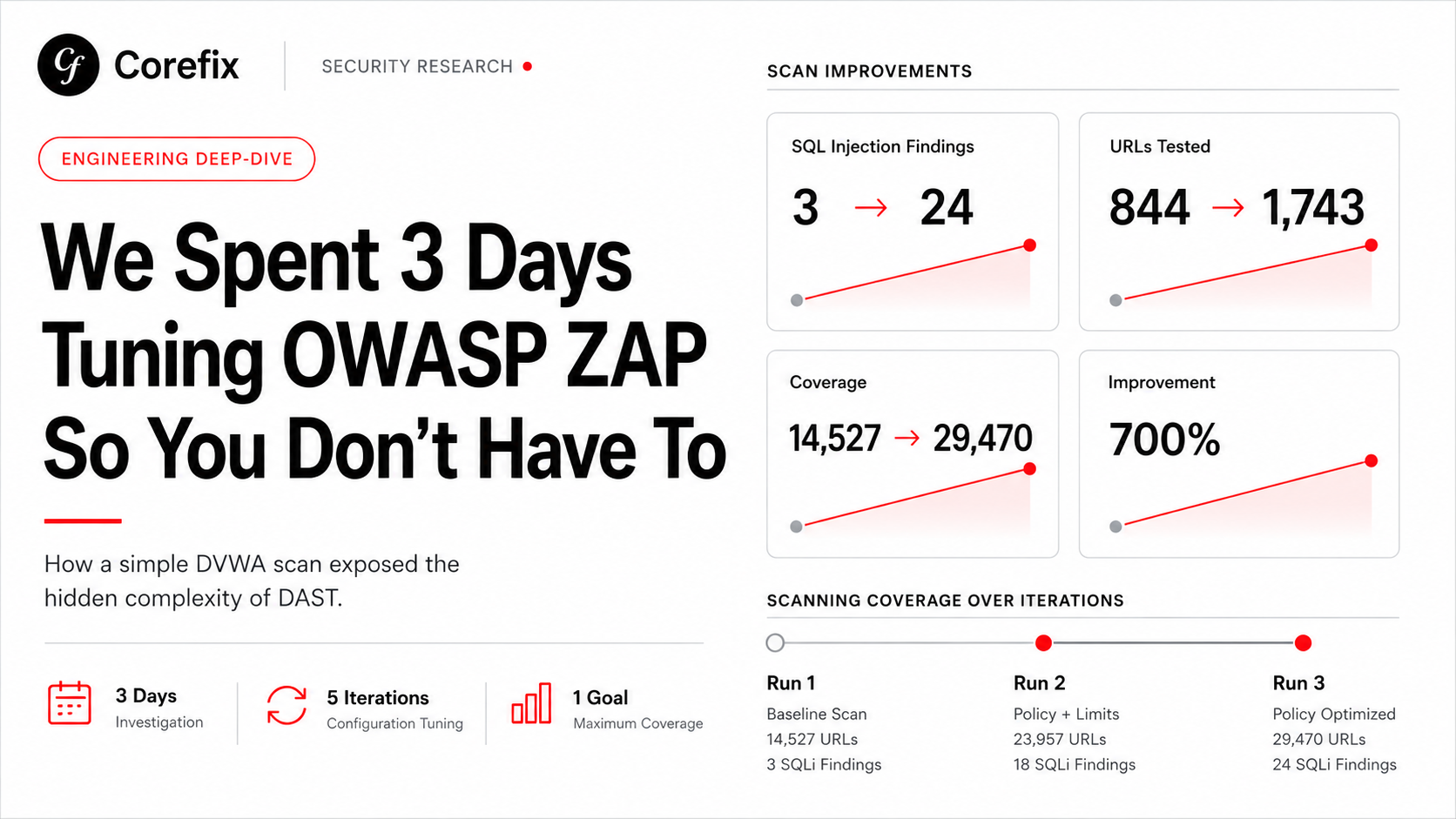
In our previous post, we documented how five iterations of YAML tuning took ZAP's SQL injection detection from 3 alerts to 26 against DVWA - a 700% improvement from configuration changes alone. We thought we were done.
We were not done.
After shipping those policy improvements, we turned our attention to real-world applications: single-page apps with JWT authentication, multi-origin architectures, CSRF-protected forms, and HAR-based crawl seeding. What we found was an entirely new category of silent scan failures, problems that exist beneath the scan policy layer, in the plumbing that connects your scanner to your application.
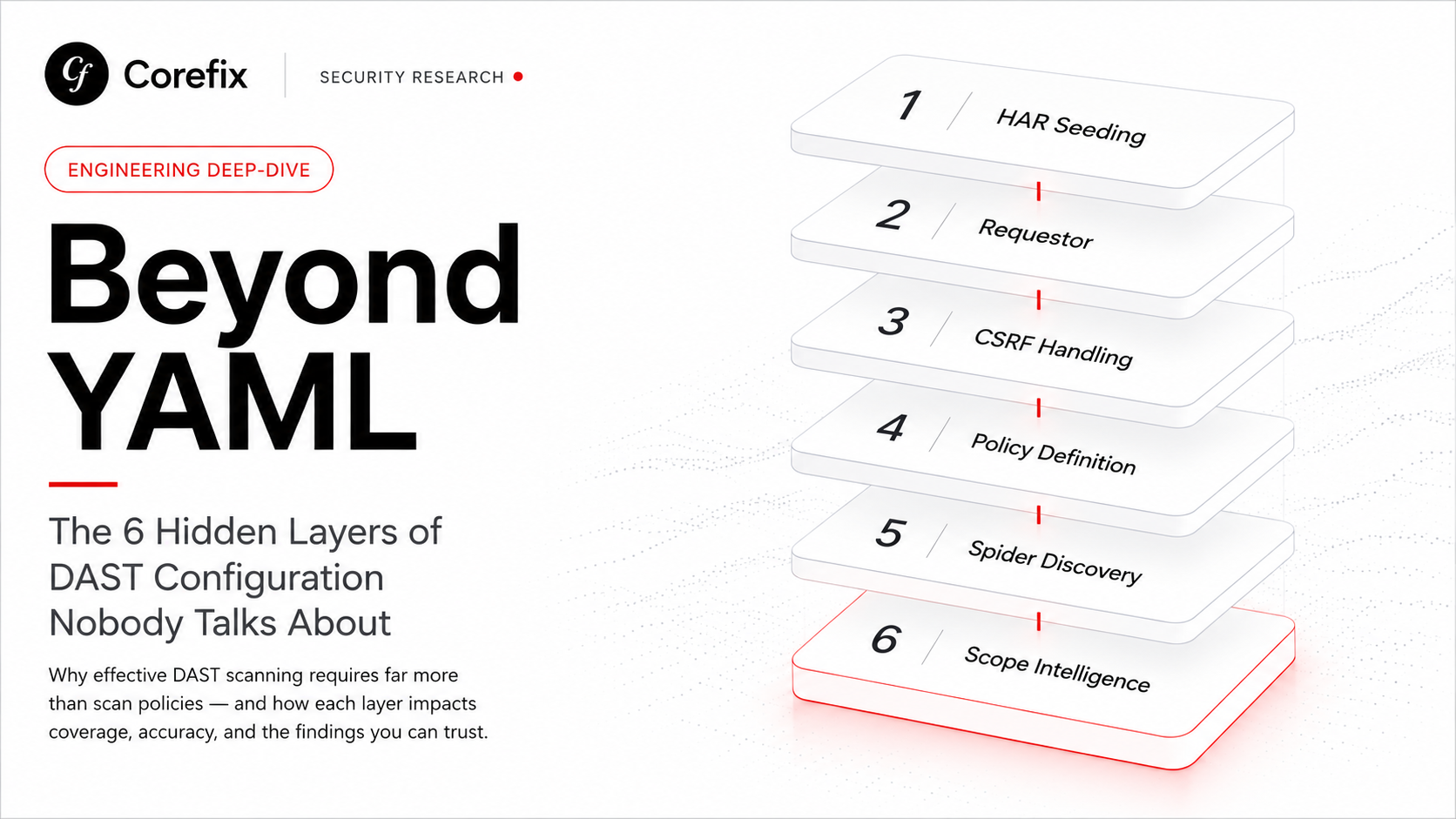
This is the story of six configuration layers we had to build, debug, and automate before ZAP could reliably scan a modern web application.
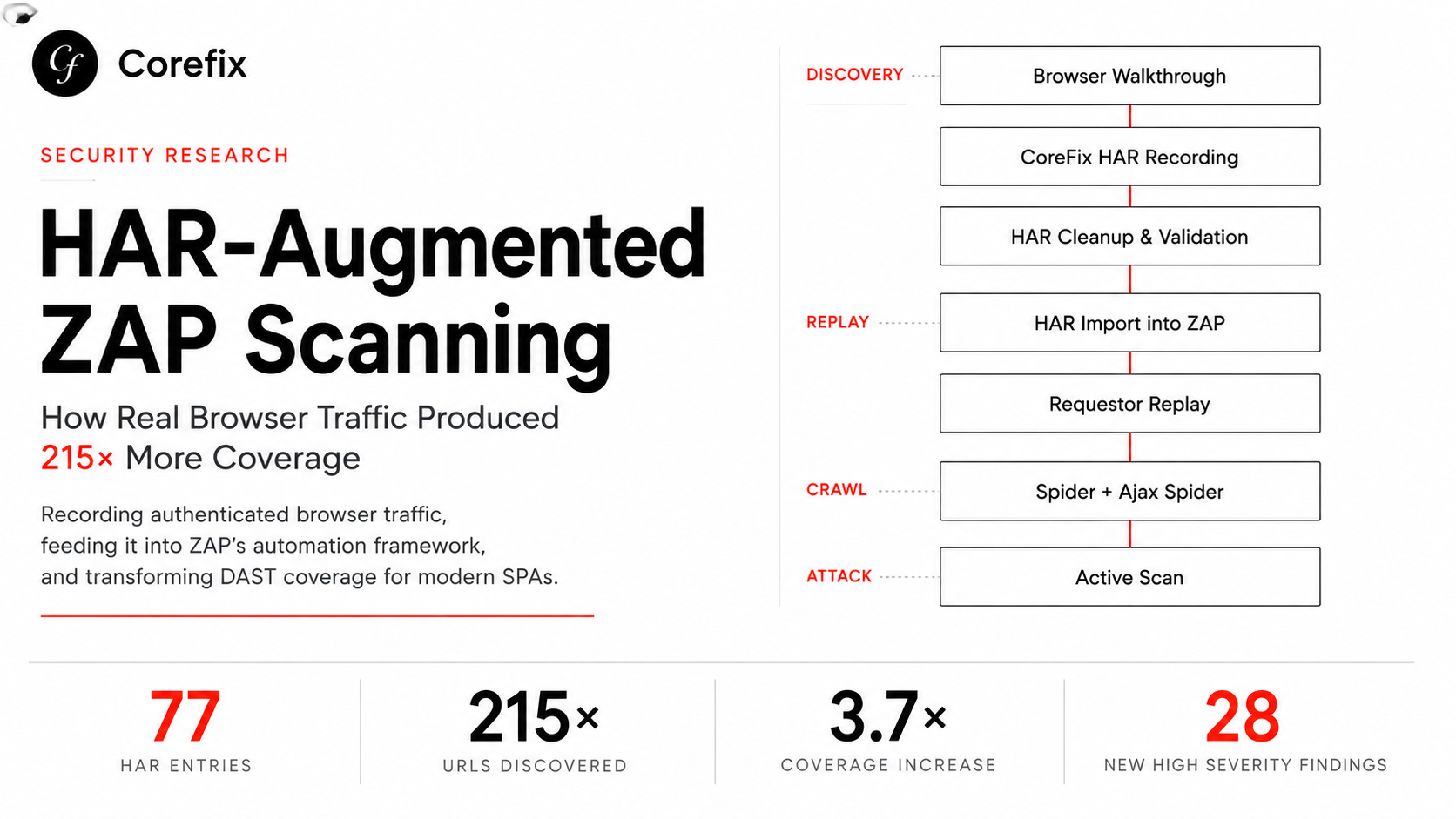
Layer 1: HAR Seeding — Your Spider Is Blind Without It
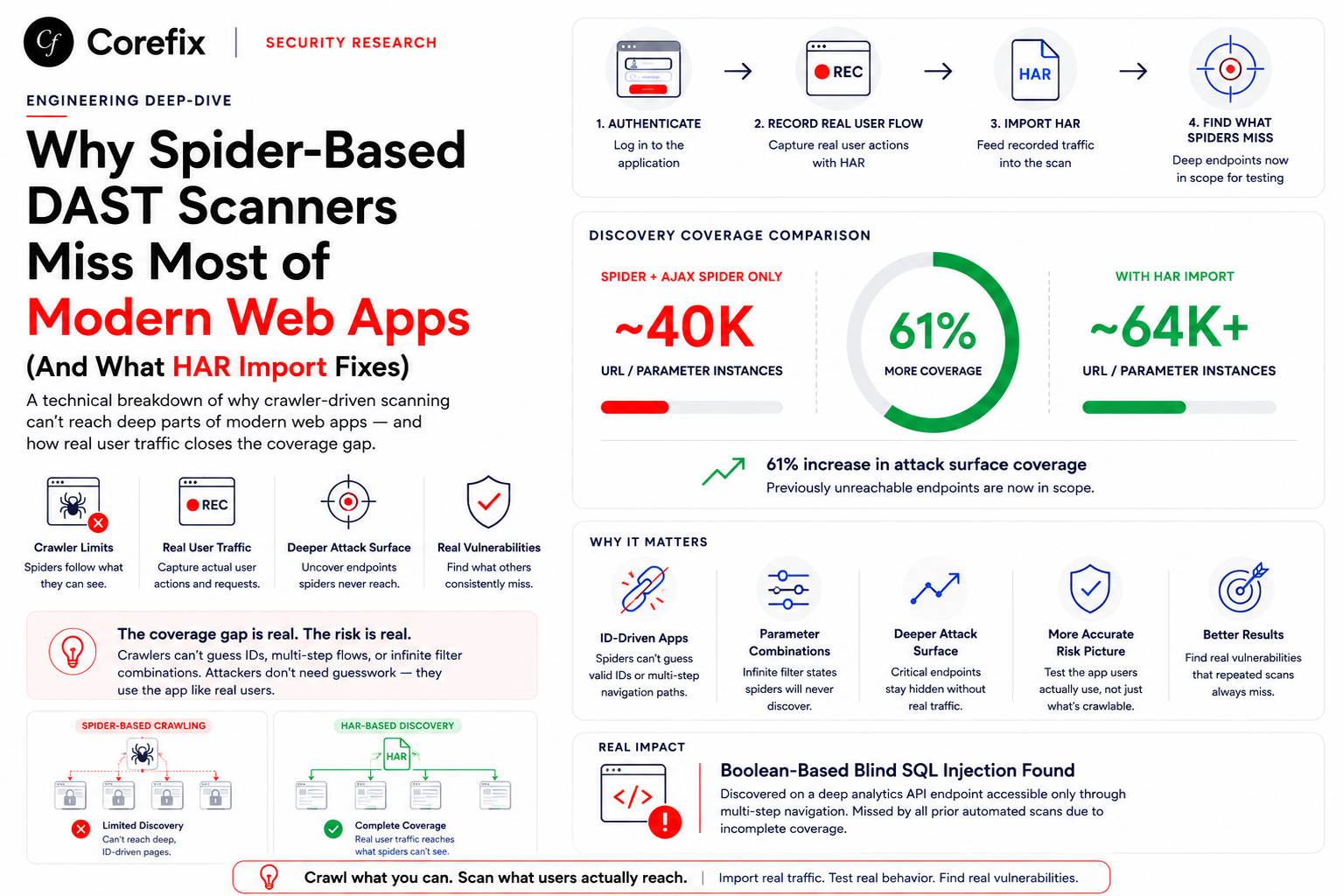
ZAP's traditional spider works by fetching HTML pages and following links. The Ajax spider adds a headless browser to execute JavaScript. Together, they discover a reasonable portion of a server-rendered application. But for a modern SPA — where routes exist only in client-side JavaScript and API endpoints are called dynamically — both spiders miss critical attack surface.
The solution is HAR (HTTP Archive) file imports. Record a user session in Chrome DevTools, export the HAR, and feed it to ZAP before spidering. Every URL in the HAR gets added to ZAP's site tree, giving the active scanner endpoints it would never have discovered on its own.
The problem? HAR files from real browser sessions contain everything: Google Analytics beacons, Sentry error reporting, CDN asset requests, CloudFront distribution URLs, third-party authentication endpoints. In one HAR from a production SPA session, we counted 50+ unique URLs — but only 14 belonged to the target application.
Without filtering, ZAP's requestor job fires authenticated requests at every URL in the HAR. That means your scan cookies, session tokens, and authentication headers get sent to google-analytics.com, sentry.io, and every third-party service your frontend calls. It's not just wasteful. It's a potential credential leak.
We built a two-stage filter: first, AI analysis of the HAR URLs to identify which origins are in-scope for the target application; second, a host-matching filter that strips static assets (.js, .css, .png, .woff2) and anything not matching the target host. What started as a simple HAR import became a URL intelligence pipeline.
Layer 2: The Requestor Job — Seeding What Spiders Can't Find
HAR imports add URLs to ZAP's site tree, but they don't visit them as the authenticated user. The spider might eventually reach them, but "might" and "eventually" aren't acceptable for vulnerability scanning. Critical pages behind JavaScript navigation, form submissions, or conditional UI logic can be invisible to both spiders.
The requestor job solves this by making authenticated GET requests to every in-scope URL before the spider runs. This guarantees that ZAP has real responses in its site tree — complete with parameters, form fields, and CSRF tokens — ready for the active scanner.
For DVWA, this meant pre-visiting all 14 vulnerability pages. For a production SPA, it means hitting every route and API endpoint extracted from the HAR. The spider then crawls from these seeded pages, discovering additional links and parameters that the HAR didn't capture.
The order matters: HAR import first (raw URL seeding), then requestor (authenticated visits), then CSRF handler registration, then spider (discovery), then active scan (testing). Get the sequence wrong and the scanner either can't authenticate, can't handle CSRF tokens, or doesn't know about half your endpoints.
Layer 3: CSRF Handling — Two Problems Disguised as One
CSRF protection breaks scanners in two completely different ways, and most teams only address one.
Problem 1: Header-based CSRF (SPAs and APIs). Modern applications send CSRF tokens in request headers — X-CSRF-TOKEN, X-XSRF-TOKEN, or custom headers. The token comes from a response header, a cookie (double-submit pattern), or an HTML meta tag. Without intercepting every request to inject the current token, ZAP's requests get rejected with 403 errors and the scanner tests nothing.
We built an httpsender script that intercepts every outgoing request, extracts the CSRF token from the most recent response (checking cookies, response headers, and HTML body patterns in priority order), and injects it into the outgoing request header. The script maintains a per-URL token map so each page gets its own token, handles token rotation, and falls back through 15+ regex patterns covering Django, Spring, Rails, Laravel, Angular, ASP.NET, Express, WordPress, and Drupal.
Problem 2: Form-based CSRF (traditional HTML applications). ZAP's active scanner submits forms as part of its testing — injecting SQL payloads into form fields, XSS payloads into text inputs, and command injection payloads into every parameter. But if a form has a hidden CSRF token field and ZAP doesn't know about it, the form submission fails server-side and the vulnerability goes undetected.
This requires a completely different solution: registering anti-CSRF token field names with ZAP's internal ExtensionAntiCSRF module. When ZAP encounters a form with a field named user_token, csrf_token, authenticity_token, csrfmiddlewaretoken, or __RequestVerificationToken, it extracts the token value and includes it in the form submission.
We register 35+ token field names covering every major framework — not because any single application uses all of them, but because the cost of registering an unused name is zero, and the cost of missing one is a completely silent scan failure. The application either uses the token name or it doesn't. No match means no action.
These two CSRF solutions are complementary, not overlapping. A Django application might use csrfmiddlewaretoken in forms (Problem 2) and X-CSRFToken in AJAX headers (Problem 1). A React SPA with an API backend might only need header injection. We run both scripts on every scan because determining which one is needed requires knowing the application's architecture — and if we already knew that, we wouldn't need a scanner.
Layer 4: Policy Definition — The Strength vs. Threshold Tradeoff
In our previous post, we showed how setting strength: insane and threshold: low on SQL injection rules produced a 700% improvement. What we didn't discuss was the tradeoff between defaultStrength and defaultThreshold at the policy level — and how getting this wrong can actually reduce findings.
We ran two back-to-back scans with different default policies:
# Policy A — Conservative defaults, aggressive on targeted rules
policyDefinition:
  defaultStrength: medium
  defaultThreshold: medium
  rules:
    - id: 40018  # SQL Injection
      strength: insane
      threshold: low

# Policy B — Aggressive defaults across all rules
policyDefinition:
  defaultStrength: high
  defaultThreshold: low
  rules:
    - id: 40018  # SQL Injection
      strength: insane
      threshold: low
The results were counterintuitive:
| Metric | Policy A | Policy B | Change |
|---|---|---|---|
| SQL Injection (40018) alerts | 26 | 3 | -88% |
| DOM XSS (40026) alerts | 5 | 23 | +360% |
| SSTI (90037) alerts | 2 | 8 | +300% |
| CSRF Token Detector alerts | 0 | 53 | New category |
| .htaccess Info Leak alerts | 0 | 18 | New category |
| Total URLs scanned | 299,739 | 58,885 | -80% |
Policy B's defaultStrength: high boosted every rule, producing dramatic improvements in DOM XSS, SSTI, and two entirely new finding categories. But defaultThreshold: low paradoxically reduced SQL injection findings from 26 to 3. Lower threshold changes how verification requests are generated — and in this case, the different request patterns triggered fewer detectable error conditions.
The optimal configuration turned out to be a hybrid:
policyDefinition:
  defaultStrength: high       # boost all rules
  defaultThreshold: medium    # keep confirmation sensitivity
  rules:
    - id: 40018               # SQL Injection
      strength: insane
      threshold: low
    - id: 40026               # DOM XSS
      strength: insane
      threshold: low
    - id: 90018               # Advanced SQLi
      strength: high
      threshold: low
    - id: 90020               # Command Injection
      strength: high
      threshold: low
    - id: 90037               # SSTI
      strength: high
      threshold: low
Discovering this required running both configurations, comparing raw statistics JSON with 200+ entries each, and understanding which rules benefit from which threshold levels. It is not the kind of thing most teams have time to figure out through trial and error.
Layer 5: Spider Non-Determinism — The Same Scan Never Runs Twice
Between our best two runs, ZAP's Ajax spider discovered 476 URLs in one and 461 in the other. The 15 missing URLs caused two SQL injection sub-variants to disappear entirely from the results.
The Ajax spider uses a real headless Firefox browser. Page load timing, JavaScript execution order, network latency, and DOM rendering are all non-deterministic. Two identical scans against the same application can discover different URLs, which means different parameters get tested, which means different vulnerabilities get found.
We addressed this with the requestor job — pre-visiting critical pages guarantees they're in the site tree regardless of what the spider discovers. But for teams running ZAP without a requestor, scan results vary between runs with no configuration change. A vulnerability that appeared yesterday can disappear today, not because it was fixed, but because the spider took a different path through the JavaScript.
Layer 6: Third-Party URL Leakage — Your Scanner Is Talking to Everyone
When we first implemented HAR-based requestor seeding without filtering, our requestor job contained 50+ URLs — including Google Analytics tracking beacons with full session parameters, Sentry error reporting endpoints with API keys, CloudFront CDN URLs, and third-party authentication service endpoints.
ZAP's requestor doesn't check scope before making requests. It fires authenticated HTTP requests at every URL in the list, sending your scan cookies and session headers to services that have nothing to do with your target application. For a security tool, this is a security problem.
The fix required building an AI-powered URL classification pipeline: extract all URLs from HAR files, identify which origins belong to the target application, filter out analytics, CDN, and third-party service URLs, and strip static assets that have no attack surface. What should have been a simple "import HAR and scan" workflow became a multi-step intelligence process.
The Compound Effect
None of these six layers is individually catastrophic. A scan without HAR seeding still finds some vulnerabilities. A scan without CSRF handling still tests some endpoints. A scan without policy tuning still produces some results.
The problem is compound. Missing HAR seeding means 30% fewer endpoints. Missing CSRF handling means 40% of form-based tests fail silently. A suboptimal policy means half the payloads aren't sent. Spider non-determinism means 5–10% variation between runs. Each layer multiplies against the others, and the result is a scan that reports "succeeded" while detecting a fraction of the actual vulnerabilities.
For our DVWA experiment — a trivially simple application — the difference between the unconfigured scan and the fully optimized scan was:
| Metric | Unconfigured | Fully Optimized | Improvement |
|---|---|---|---|
| Active scan time | 9 minutes | 26 minutes | 189% |
| URLs tested | 14,527 | 299,739 | 1,963% |
| SQL Injection alerts | 3 | 26 | 767% |
| DOM XSS alerts | 5 | 23 | 360% |
| SSTI alerts | 1 | 8 | 700% |
| Unique vulnerability categories | 41 | 64 | 56% |
| Network requests | 16,762 | 303,101 | 1,708% |
That's a 20x increase in tested URLs and a 56% increase in unique vulnerability categories — on an application with maybe 15 pages.
Why We Built Corefix
Every one of these six layers exists because DAST scanners were built as generic tools, and modern web applications are anything but generic. The scanner doesn't know your authentication flow, your CSRF pattern, your API endpoints, your technology stack, or which URLs in your HAR files are actually yours.
Corefix knows. It analyzes your application's responses to detect CSRF patterns automatically. It classifies HAR URLs to build an intelligent scope. It seeds every endpoint before scanning. It adjusts scan policy based on detected technology. It handles authentication, re-authentication, and session management without YAML configuration.
The six layers we spent weeks building, debugging, and optimizing? Corefix handles them in the background, before the first scan request is sent. What took us 5 iterations and 3 days of manual tuning happens automatically in under 2 minutes.
Your scanner should find vulnerabilities, not create configuration puzzles.
This is Part 2 of our DAST research series. Read Part 1: We Spent 3 Days Tuning OWASP ZAP So You Don't Have To →
Corefix is built for teams that want comprehensive DAST coverage without the configuration overhead. Try Corefix today →